
Get your evenings back.
Lesson Lab turns Claude, ChatGPT, Gemini or Grok into a planning partner who has taught for 20 years. Plan lessons and units backward from the standard, differentiate without three separate plans, build rubrics and quizzes that match, and write report card comments and parent emails in minutes.
Get Lesson Lab Teacher Toolkit for $12 Plan my timing
$12 once · card, Apple Pay or Google Pay · download in a minute
- One-time $12
- Instant email delivery
- 14-day refund
- Works in Claude, ChatGPT, Gemini and Grok
Unit plan: Grade 5 fractions, 3 weeks
Standard 5.NF.A.1 · 52-minute periods · 26 students, 4 with IEPs
Assessment: unit test + taskCo-taughtChromebooks 2 days a week
- GoalAdd and subtract fractions with unlike denominatorsSuccess criteria written in kid languageBackward
- Day 1Launch: fraction strips number talkWarm-up, mini lesson, partner task, exit ticketLesson
- SupportScaffolds: strips, sentence frames, fewer itemsMatches the accommodations you listedDifferentiate
- CheckExit tickets days 3, 6, 9 with regroup planIf under 70% got it, reteach tomorrowFormative
- Rubric4-level rubric for the recipe taskCriteria match the success criteriaAssess
The planning a veteran teacher does in their head
One skill, six jobs. Claude, ChatGPT, Gemini or Grok picks the right one from what you ask.

Lessons and units
Backward-designed from the standard: objectives, success criteria, timed lesson plans and pacing calendars.
Differentiation
Scaffolds, extensions and supports for multilingual learners and the accommodations in your students' plans.
Rubrics and quizzes
Rubrics, quizzes, exit tickets and answer keys that match the objective exactly.
Report card comments
Specific, kind, honest comments from your notes, in your school's length and tone.
Parent emails
Updates, concerns, positive notes and tricky conversations, written clearly and calmly.
Sub plans
Sub plans a stranger can follow, with seating notes, routines and backup activities.
Ask it like you'd ask the teacher across the hall
It knows pedagogy and the realities of a classroom, so the plan actually works on Monday.
Maya
Maya reads fluently and with expression. Her next step is to slow down and look back in the text for details that support her answers. At home, asking her 'How do you know?' after reading will help her build this habit.
Leo
Leo has made excellent growth in reading this term, and his enthusiasm for graphic novels is helping him read more every day. He is still working toward grade-level expectations, especially in decoding longer words. Continued daily reading at home will keep his momentum going.
Ava
Ava is a strong, thoughtful reader who understands texts deeply. Her goal for next term is to share her thinking more often in class discussions, where her insights will help her and her classmates.
Check
Each comment names a strength, a next step and one way to help. Adjust to your school's length limit.
Example answer from the full skill. Your answers depend on what you ask.
Honest about teaching with AI
You know your students. Lesson Lab does the drafting, not the judgment.
- Student privacy firstUse first names or initials only. It reminds you to keep IDs, diagnoses and family details out of chats.
- Your standards, your curriculumIt plans to the standards and materials you name, and doesn't invent requirements.
- Accommodations as writtenIt applies the supports in a student's plan. It never diagnoses or changes a plan.
- Honest commentsReport card comments stay specific and true. No vague praise that parents see through.
Up and running in two minutes
No app to learn and nothing to install on your computer. It lives inside Claude, ChatGPT, Gemini or Grok.
Buy once
Pay $12 by card, Apple Pay or Google Pay. Your download link arrives by email in about a minute.
Add it to Claude, ChatGPT, Gemini or Grok
Upload the ZIP under Skills in Claude, or the unzipped folder in Gemini. It takes about 30 seconds. In Grok, upload the ZIP, or paste the included paste-in file into a new skill. In ChatGPT, add the included paste-in file to a Project.
Just ask
"Plan a 50-minute lesson on photosynthesis for Grade 7." "Make a 4-level rubric for this essay." "Write a calm email about missing homework."
Pick your app for the exact clicks
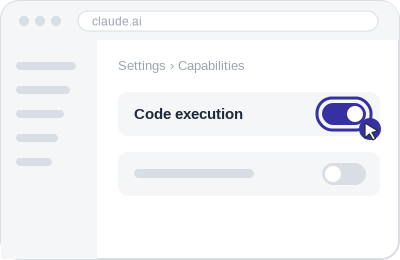
1In Settings, then Capabilities, turn on code execution.
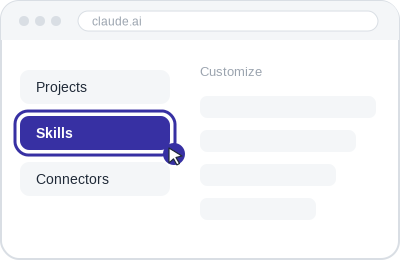
2Open Customize, then Skills.
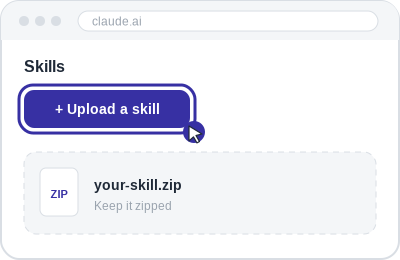
3Click +, choose Upload a skill, pick the ZIP. Keep it zipped.
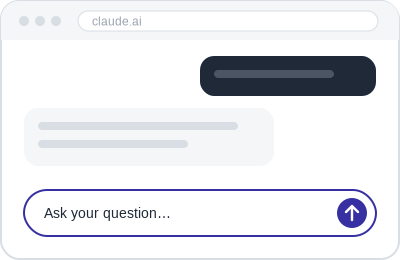
4Start a new chat and ask. Claude picks up the skill.
Works on every Claude plan, including the free one. Free plans have lower usage limits.
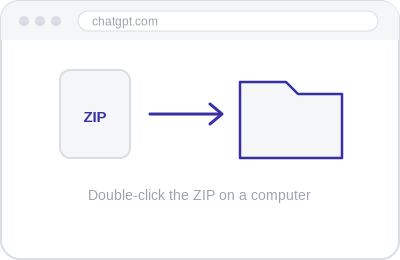
1On a computer, unzip the download and find ANY-AI-PASTE-VERSION.txt.
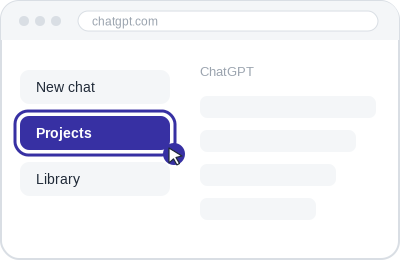
2In ChatGPT, open Projects and make a new project.
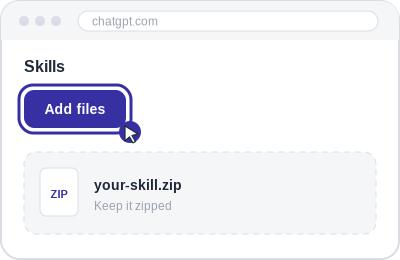
3Add the .txt file to the project. In its instructions, type: Follow the attached file.
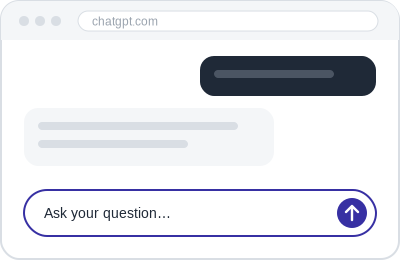
4Start a chat in that project and ask. On a Business, Enterprise or Edu plan, you can upload the ZIP under Skills instead.
Personal ChatGPT plans (Free, Plus, Pro) don't have a Skills page yet, so you use the paste-in version in a Project. On a Business, Enterprise or Edu plan, go to chatgpt.com/skills, choose Add, then Upload from your computer.
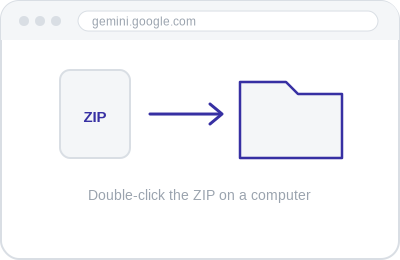
1On a computer, unzip the download. You get a folder.
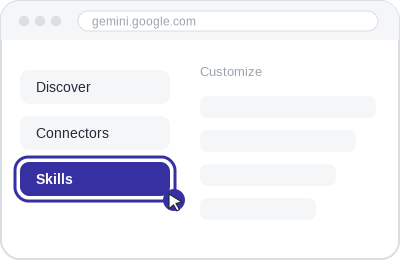
2At gemini.google.com, open Customize, then Skills.
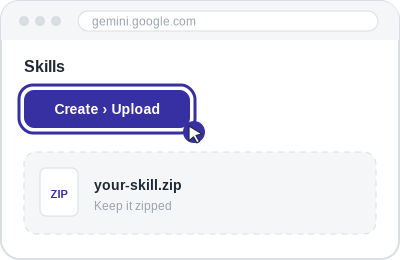
3Choose Create, then Upload, then folder. Pick the unzipped folder.
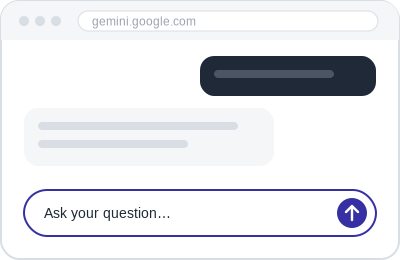
4Start a new chat and ask.
Gemini takes the unzipped folder, not the ZIP. Menus in Gemini change often, so names may differ slightly.
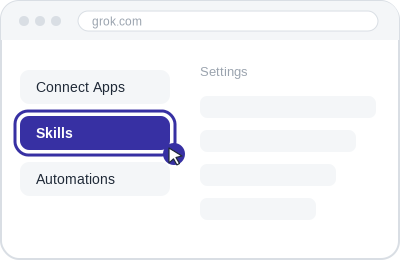
1At grok.com, open Settings, then Skills.
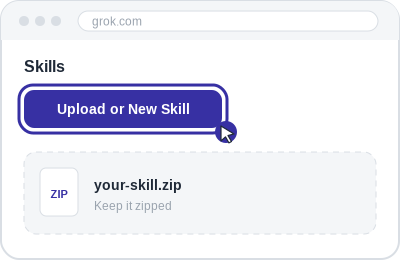
2If you see Upload, pick the ZIP. If you only see New Skill, use the next step.
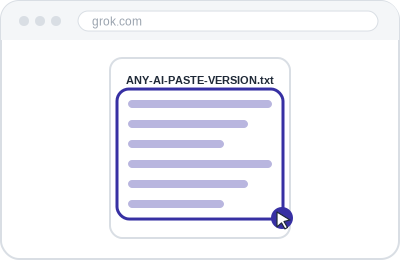
3New Skill: name it, then paste the text of ANY-AI-PASTE-VERSION.txt (below the line of equals signs) into Instructions.
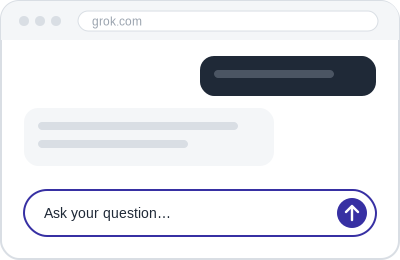
4Save it, start a new chat and ask.
Some Grok plans upload the ZIP; others show a New Skill form, where you paste the skill text in. Menus in Grok change often, so names may differ slightly.
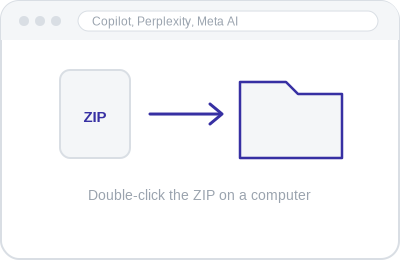
1No Skills page? Unzip the download on a computer.
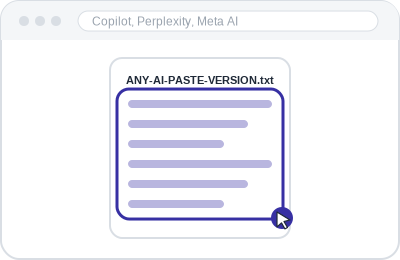
2Open ANY-AI-PASTE-VERSION.txt and copy everything.
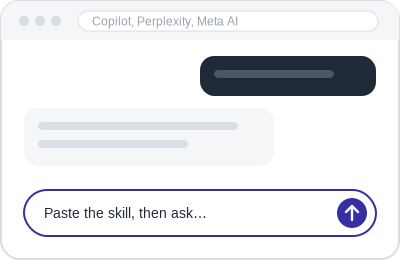
3Paste it into a new chat, then ask your question.
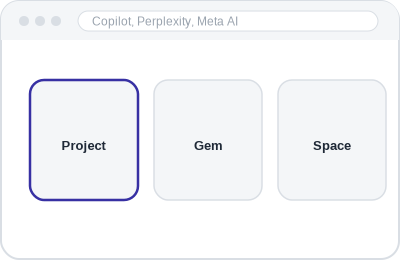
4To keep it on, add it to a ChatGPT Project, Gemini Gem or Perplexity Space.
Using Claude Code, Codex, Cursor or another coding agent? Unzip it into the skills folder, for example unzip lesson-lab-teacher-toolkit.zip -d ~/.claude/skills/
On your phone? Go ahead and buy: the download link goes to your email and works for a year. Adding a skill is easiest from a computer, in a web browser or the desktop app, so open that email there when you're ready. Want to try it on your phone today? Open the ZIP, copy ANY-AI-PASTE-VERSION.txt into any chat app, and ask.
Start with the free Report Comments
A small skill that writes specific, kind report card comments from your notes, in your school's length and tone.
- Strength, next step and how to help
- Matches your length limit
- No student data needed beyond first names
Get Lesson Lab Teacher Toolkit
Pay once, use it on every class and every term. No subscription. Includes the free Report Comments too.
How to add it
Upload the ZIP under Skills in Claude, or the unzipped folder in Gemini (in Grok, upload the ZIP or paste the paste-in file into a new skill; in ChatGPT, add it to a Project), then start a new chat and try: "Plan a 50-minute Grade 6 lesson on ratios with a warm-up, mini lesson, partner task and exit ticket."
See the clicks for your app. Every download also comes with a paste-in version for any other chat, and a Start Here PDF.
Step-by-step guides with pictures: Claude · ChatGPT · Gemini · Grok
Lesson Lab Teacher Toolkit
Lessons, differentiation, assessments and parent communication, done faster.
$12 one time
- Backward-designed lessons and units
- Differentiation and accommodation supports
- Rubrics, quizzes, exit tickets and keys
- Report card comments
- Parent emails and newsletters
- Sub plans
- Updates for a year
Card, Apple Pay or Google Pay through Stripe. Taxes calculated at checkout. 14-day refund.
Giving it as a gift? Buy it, forward the email, and print a gift card.
See a real answer from the full skill
You ask: Write report card comments for 3 students in Grade 3 reading. Notes: Maya fluent but rushes, skips details. Leo huge growth, still below grade level, loves graphic novels. Ava strong but rarely participates.
Maya
Maya reads fluently and with expression. Her next step is to slow down and look back in the text for details that support her answers. At home, asking her 'How do you know?' after reading will help her build this habit.
Leo
Leo has made excellent growth in reading this term, and his enthusiasm for graphic novels is helping him read more every day. He is still working toward grade-level expectations, especially in decoding longer words. Continued daily reading at home will keep his momentum going.
Ava
Ava is a strong, thoughtful reader who understands texts deeply. Her goal for next term is to share her thinking more often in class discussions, where her insights will help her and her classmates.
Check
Each comment names a strength, a next step and one way to help. Adjust to your school's length limit.
New to AI skills?
Lesson Lab is a skill: a set of expert instructions you add to your own Claude, ChatGPT, Gemini or Grok account, so it answers like a veteran teacher and instructional coach who knows the craft.
- Using Gemini? Unzip it and upload the folder on its Skills page. Using Grok? Under Settings, Skills, upload the ZIP or paste the paste-in file into a new skill. Using ChatGPT? Add the included paste-in file to a Project.
- New to all of them? Claude is an AI assistant made by Anthropic. Make an account at claude.ai: skills work on every Claude plan, including the free one, with code execution turned on in Settings, Capabilities.
- Try the free Report Comments skill first. If you like it, the full skill is one purchase.
Not ready for an AI app? The free lesson timing planner on this site works in any browser, no account needed.
Free teaching tools
No sign-up, they run in your browser.
Made by Nic Hubert, What If Labs
I run What If Labs from British Columbia, Canada. I build each skill with AI help and test it on real questions, and a separate reviewer checks it before it goes on sale. If it doesn't do what this page says, email me at hello@whatiflabs.ai and I'll fix it or refund you.
No reviews yet: this store is new. Tell me how it went and I'll use it to make the skill better.
Questions
What grades and subjects?
K to 12, every subject. Tell it your grade, subject, standards (Common Core, NGSS, your state or provincial curriculum) and period length.
Is it safe for student privacy?
It's designed to work without personal data. Use first names or initials, and leave out IDs, diagnoses and family details. Follow your district's AI and privacy policies, including FERPA in the US.
Can it write IEP goals?
It can help you draft measurable goal language and apply the accommodations a student already has. IEP and 504 decisions belong to the team, so it never diagnoses or decides services.
Can my school buy it for everyone?
One purchase is for one teacher. Email us for a school or department license.
What do I need to use it?
A Claude, ChatGPT, Gemini or Grok account. In Claude it works on any plan, including the free one, with code execution turned on (Settings, Capabilities). Free accounts have lower usage limits, so long planning sessions go further on a paid plan. It works in Claude on the web, the desktop app and Claude Code. In Gemini and Grok, upload it on the Skills page. In ChatGPT, personal plans (Free, Plus, Pro) don't have Skills yet, so you add the included paste-in file to a ChatGPT Project; Business, Enterprise and Edu plans can upload the ZIP under Skills. Coding agents that read SKILL.md files work too. Using Copilot, Perplexity, Meta AI or another chat with no Skills page? Every download includes a paste-in version (ANY-AI-PASTE-VERSION.txt) that works in any AI chat.
What if it doesn't work for me?
Email hello@whatiflabs.ai within 14 days of buying and we'll refund you in full. No forms, no questions.
How is this different from just asking an AI?
A general AI answer is often vague or skips steps. The skill gives your AI an expert's method: what to ask you first, the checklists and calculations to run, and the mistakes to warn you about. You get consistent, specific answers instead of a different guess each time.
Do I pay every month?
No. It's a one-time price, and updates to the skill are free.
Can I get a refund?
Yes. Every purchase comes with a 14-day refund, no questions asked. Reply to your receipt email and we'll take care of it.
What if it gets something wrong?
It shows its working, so you can check numbers and dates. Tell it what's off and it will correct itself. For anything where a mistake costs money or safety, double-check before you act, as you would with any advice.
Is my information private?
The skill runs inside your own Claude, ChatGPT, Gemini or Grok account, and we never see your chats. When you buy, Stripe handles the payment and we keep your email and order so we can send the download. The terms and privacy page has the details.